Back to the House
The app for the family home: who’s going when, who paid for what, what needs fixing.
Leave your email: we’ll send you an invitation.

Right now, it all happens in the family group chat.
A house by the sea, in the mountains, or the one your parents left you. Everyone loves it, and everyone knows a piece of it. So the questions go into the chat, and the answers get lost between the holiday photos and the birthday wishes.
In the chat, the answers arrive, and then they get lost.
Back to the House gives them a home.
Marco
Who’s going in August?
Chiara
Who paid for the boiler in the end?
Luca
Where are the spare keys?
Giulia
Has anyone called about the shutter?
Marco
Did whoever left last turn the water off?
Who’s going when
Stays and the calendar
Who’s going to the house and when, on one calendar. Add your stay and everyone sees it.

Who paid for what
Expenses, and who is ahead
Record what’s spent and who paid. Everyone sees where they stand, according to their share of the house.

What needs fixing
Maintenance, and who’s on it
Whatever breaks goes in here as an issue: who’s on it, and how far along it is. You follow it until it’s fixed, without asking in the chat.

Where things are
Knowledge: what the house knows
The plumber’s number, the main stopcock, the spare keys. Written down once, there for everyone.

What you’ll find
The stay report
Before you leave, write a couple of lines: how you’re leaving the house, what needs checking. Whoever comes next knows what they’ll find.

One house, many different families
Four examples of shared houses

Example houses, made up

Example
Example · The grandparents’ cottage · Cornwall
Siblings who inherited their parents’ house
An expense, as in the app
Boiler · €340.00 · Chiara
Example
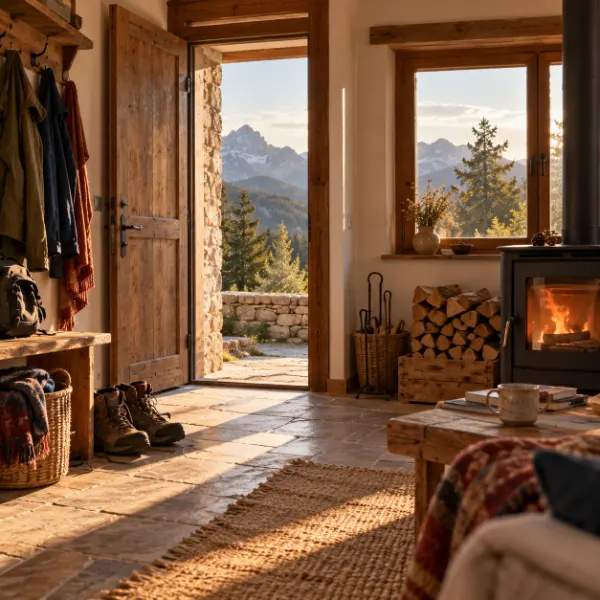
Example · The mountain chalet · Aosta Valley
Friends who share a house
A stay, as in the app
Giulia · 27 Dec – 3 Jan

Example
Example · The house by the sea · Liguria
Parents and grown-up children
A reminder, as in the app
Bring the sheets · 8 Oct · Luca

Example
Example · The country house · Provence
Cousins
A stay, as in the app
Marco · 12–18 Aug
Made-up houses and families, to show how the app is used.
How it starts
You get the invitation.
We write to you when there’s room: you create your account and your house.
You invite the family.
Brothers and sisters, cousins, parents: everyone who shares the house gets an invitation by email.
From then on, it’s all there.
Stays, expenses, issues and what the house knows, for the whole family.
Your data.
- No advertising.
- The site uses no cookies or tracking tools.
- Each family sees only its own house.
- Download your data whenever you want.
- Delete your account from the app, whenever you want.

Where it comes from
Back to the House was born inside a family, from a problem many families know: a shared home, and everything to organise across messages that get lost. It wasn’t built by a company, but by someone living that problem, starting from scratch. Every choice is made for people who share a home with the people they care about, and to let the house be what it should be: a place to come back together.
Questions
Do I need to download anything?
No: it’s a web app. It opens in the browser, and on your phone you can add it to the Home Screen like an app.
Which devices does it work on?
It opens in the browser, on your phone and on your computer. We’ve tested it on iPhone and on computers; on Android we’re still finishing our tests.
What happens after I sign up?
We’re opening it up a little at a time. When there’s room, we write to you: with the invitation you create your account and your house, and from there you invite the family. If we still haven’t invited you after twelve months, we take you off the list, and you can sign up again.
Does everyone in the family have to use it?
No. Even if you use it with just two or three people, the calendar, the expenses and what the house knows are already in one place. You invite the others whenever you like.
Who can do what?
Each house has managers, who run it, and members, who see it and add their stays. A manager can change the roles when needed.
Can I have more than one house?
Yes. All your houses are in My houses, each with its own family.
Who can see the expenses?
Those who share them, and the house’s managers.
Can I leave a house?
Yes, whenever you want. Download the house or your data first: after you leave, that house is no longer in your export. Your upcoming stays there are cancelled, and if you are the last manager you hand the role to someone first.
Which languages?
Italian and English.
More answers in the Guide.

See you at the house.
Ask for early access and we’ll send you an invitation, or sign in if you already have an account.